Powerful Scanning Modes
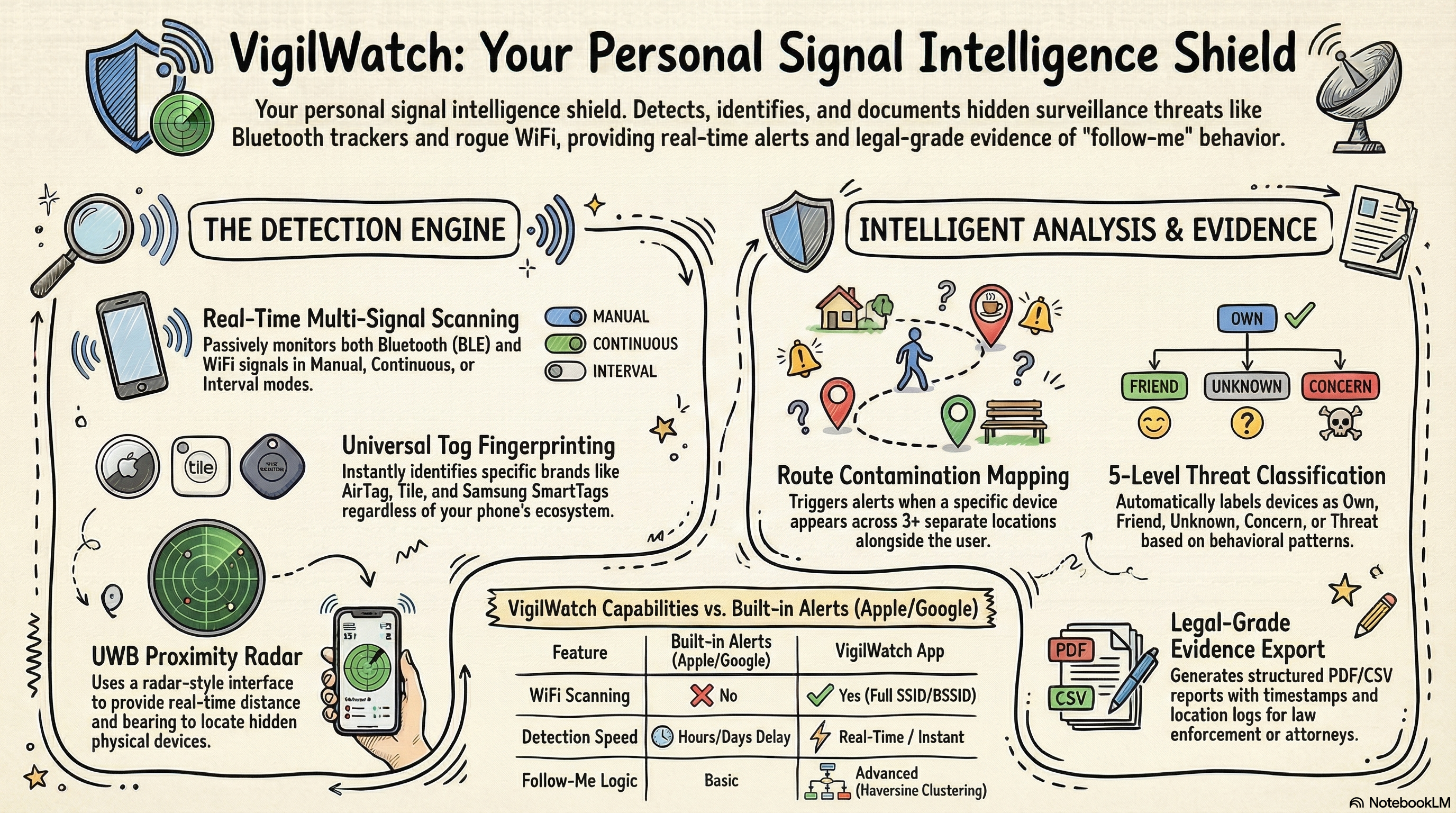
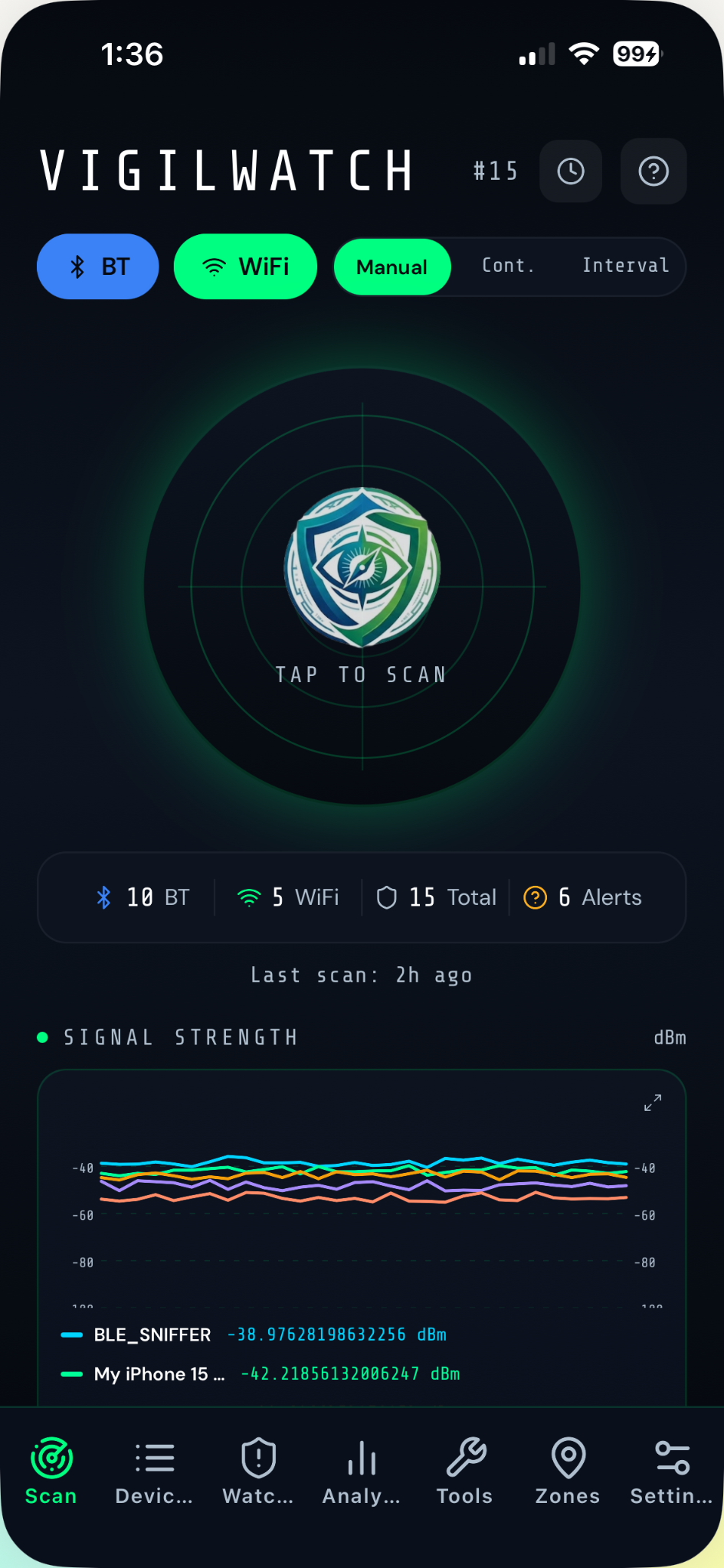
VigilWatch offers three scanning modes to fit any situation — from a quick manual check to all-day silent background monitoring.
- Manual — 8-second tap-to-scan. Fast situational check anywhere.
- Continuous — 30-second extended sweep for thorough coverage.
- Interval — Auto background scans every 5, 15, 30, or 60 minutes. Best for all-day passive monitoring.
- Toggle Bluetooth and WiFi independently
- Live signal chart tracks RSSI of active devices during every session
- Full scan history grouped by date with device count, new discoveries, and flagged devices
Threat Classification & Follow-Me Detection
Every device is assigned a classification, and a proprietary algorithm automatically detects when a device is following your movements.
Own
Your personal devices — phone, AirPods, laptop
Friend
Trusted, recognized devices you've identified
Unknown
Default for all newly detected devices
Concern
Worth watching — seen multiple times or across locations
Threat
Confirmed dangerous — Follow-Me detected or manually flagged
Tag Fingerprinting — The Tracker Identifier
VigilWatch bypasses vendor notification systems entirely by reading raw BLE advertisement packets directly. It identifies distinct hardware signatures from 7 tracker brands — on any iPhone, regardless of which ecosystem you're in.
- AirTag — Service UUID 0x4C00 (Critical priority)
- Tile — Manufacturer ID 0x00CC (High priority)
- Samsung SmartTag — Service UUID 0xFD5A (High priority)
- Apple Find My Accessory — High priority
- Google Find My Device — High priority
- Chipolo & TrackR/Atuvos — Medium priority
- Flagged regardless of which ecosystem or phone brand you use
Key advantage:
Any tracker that appears consistently across multiple scan sessions is automatically flagged — even if it randomizes its MAC address.
Tracker Priority Levels
Route Contamination Map — The Follow-Me Detector
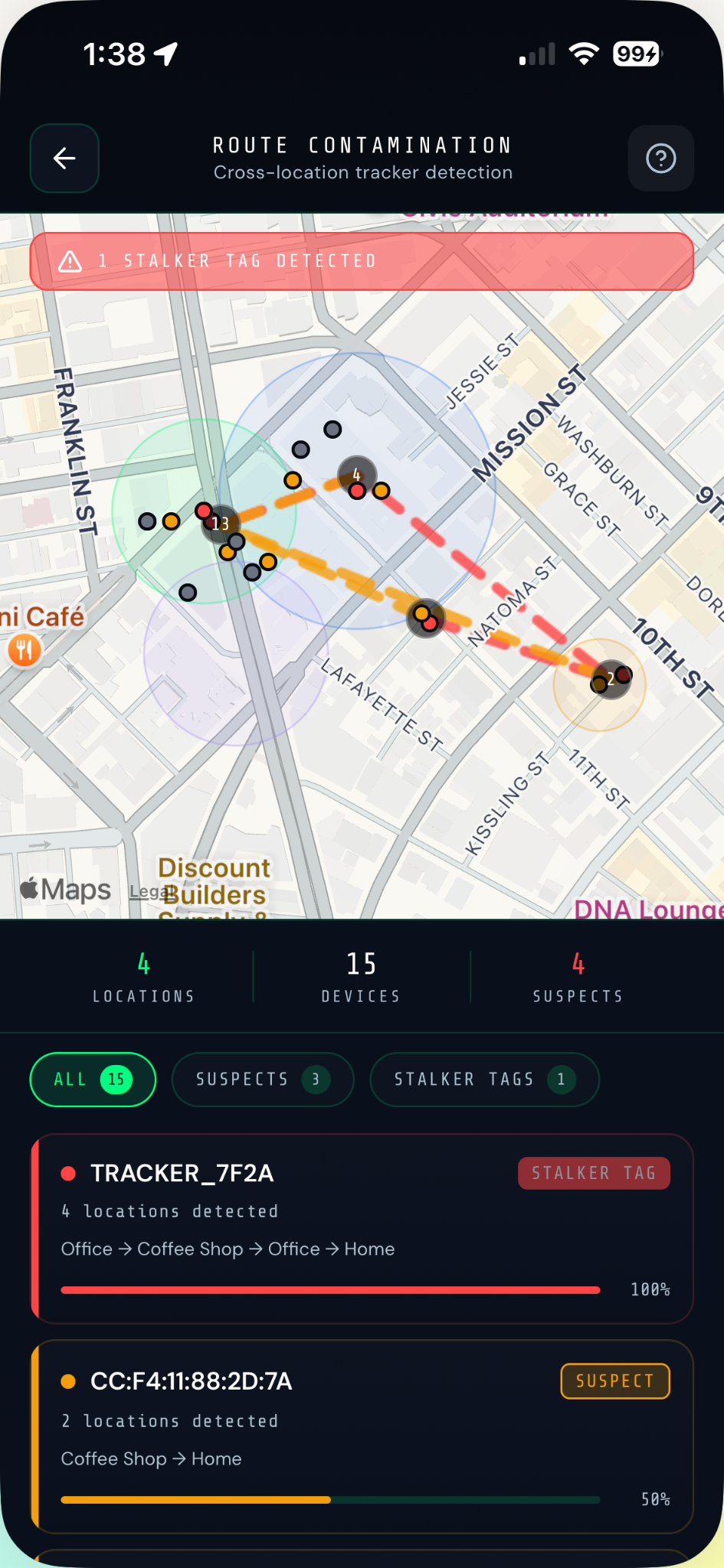
Route Contamination builds a geographic timeline of every device that has appeared across multiple scan sessions at different locations. A stalker's tracker becomes visible not through a single scan — but through the undeniable pattern it leaves behind.
- Cross-session tracker detection using Haversine clustering
- Device crosses a configurable distance threshold at 3+ separate locations → immediate stalker alert
- Filter view: All / Suspects / Stalker Tags
- Animated contamination score bars per device
- Map shows sighting dots, polylines, and zone circles
- TRACKER_7F2A-style IDs clearly marked with session counts and locations
UWB Proximity Tracker — Find It Before You Drive Away
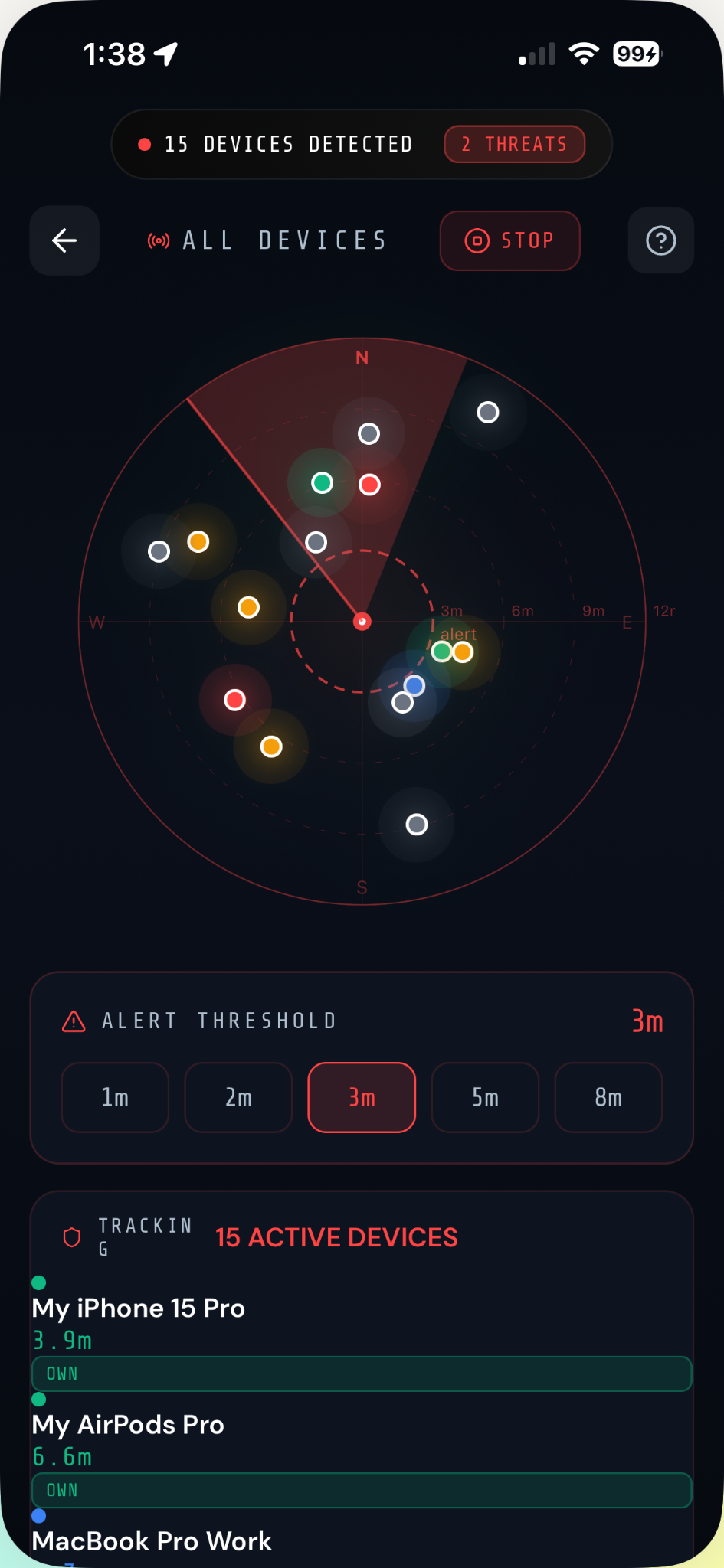
Once a suspicious device is identified, the UWB Proximity Tracker simulates ultra-wideband ranging — displaying real-time estimated distance and bearing to the specific device. This allows you to physically localize a hidden tracker to within a few meters.
- Single-device mode — Radar, live distance readout, bearing direction, and RSSI sparkline for one target device
- Multi-device mode — All active devices displayed as color-coded dots with random-walk physics on a radar
- Configurable alert threshold (1m, 2m, 3m, 5m, 8m)
- Live device list shows distance and classification for all tracked devices
- Turn passive detection into an active physical search
How to use it:
When a device shows a strong RSSI (-40 dBm) it is physically very close right now — launch UWB Tracker and walk toward the signal peak to locate the hidden device.
Device Management
Tap any device to open the full detail screen — a complete profile of everything VigilWatch knows about it.
- Rename and reclassify any device
- Add notes and custom tags
- View full location history with zone names attached
- See the complete technical profile (RSSI, MAC, UUIDs, security)
- Toggle per-device alerts independently
- Export individual device PDF or CSV report
- Delete individual devices or clear all data
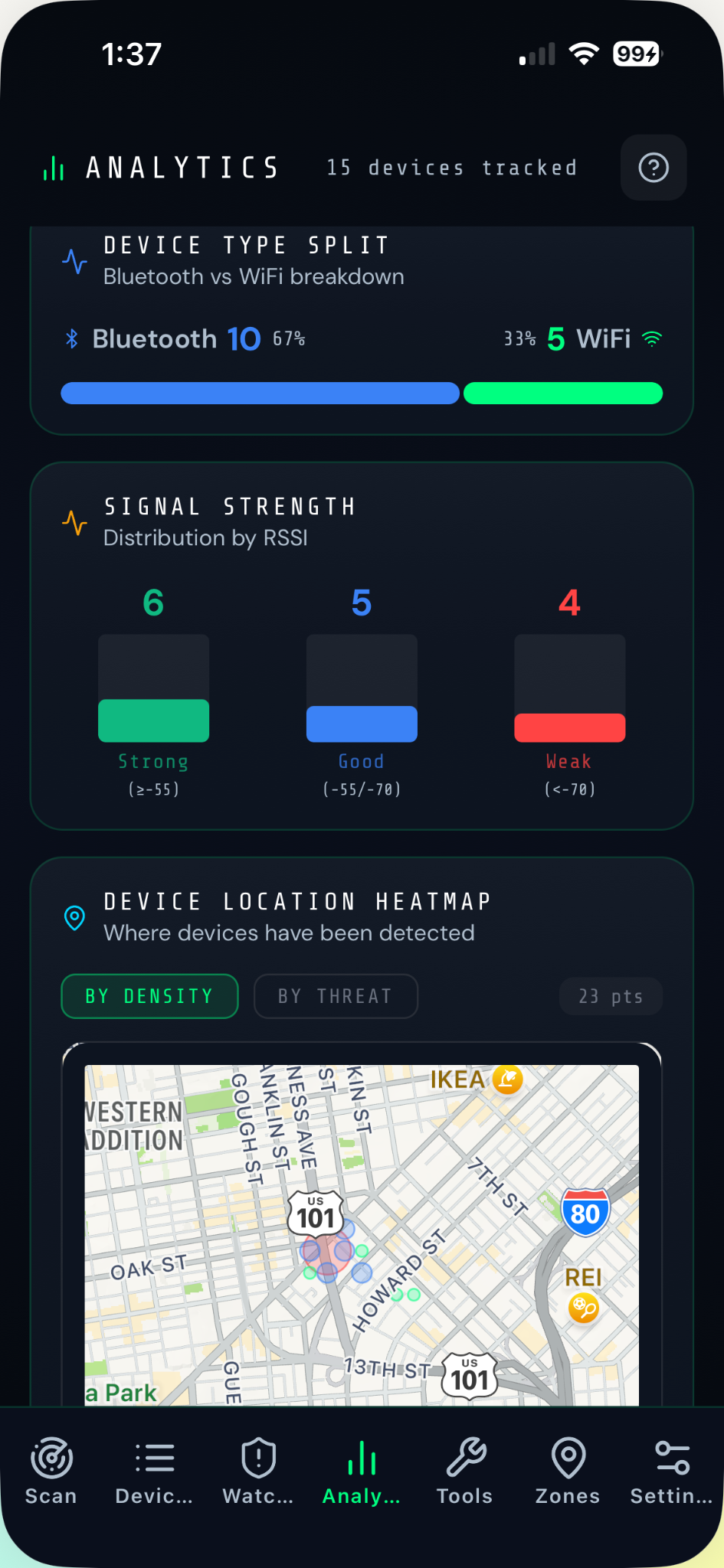
Watchlist & Deep Analytics
The Watchlist surfaces only the devices that matter — Threats, Concerns, Alert Immediately, and Follow-Me detections — sorted by urgency.
- Filter by ALL / THREAT / CONCERN / ALERT / FOLLOW
- 24-hour radial Daily Pattern chart (after 3+ sightings)
- Auto-detected patterns: COMMUTE, WORKDAY, NIGHTTIME, SPORADIC
- 14-day Frequency Trend bar chart with regression line
- ESCALATING ↑ / DECLINING ↓ / STABLE → trend badges
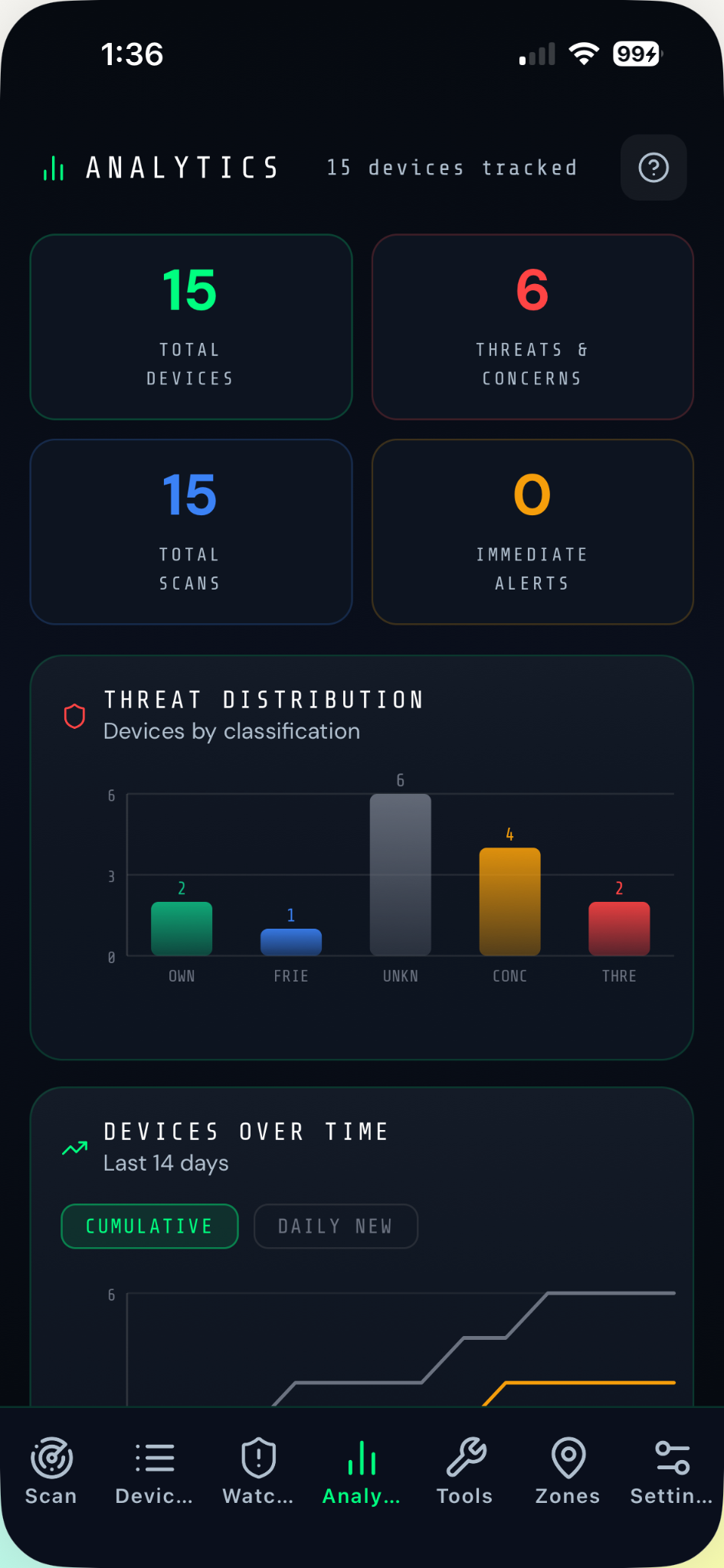
- Threat distribution bar chart across all devices
- Interactive location heatmap — By Density or By Threat
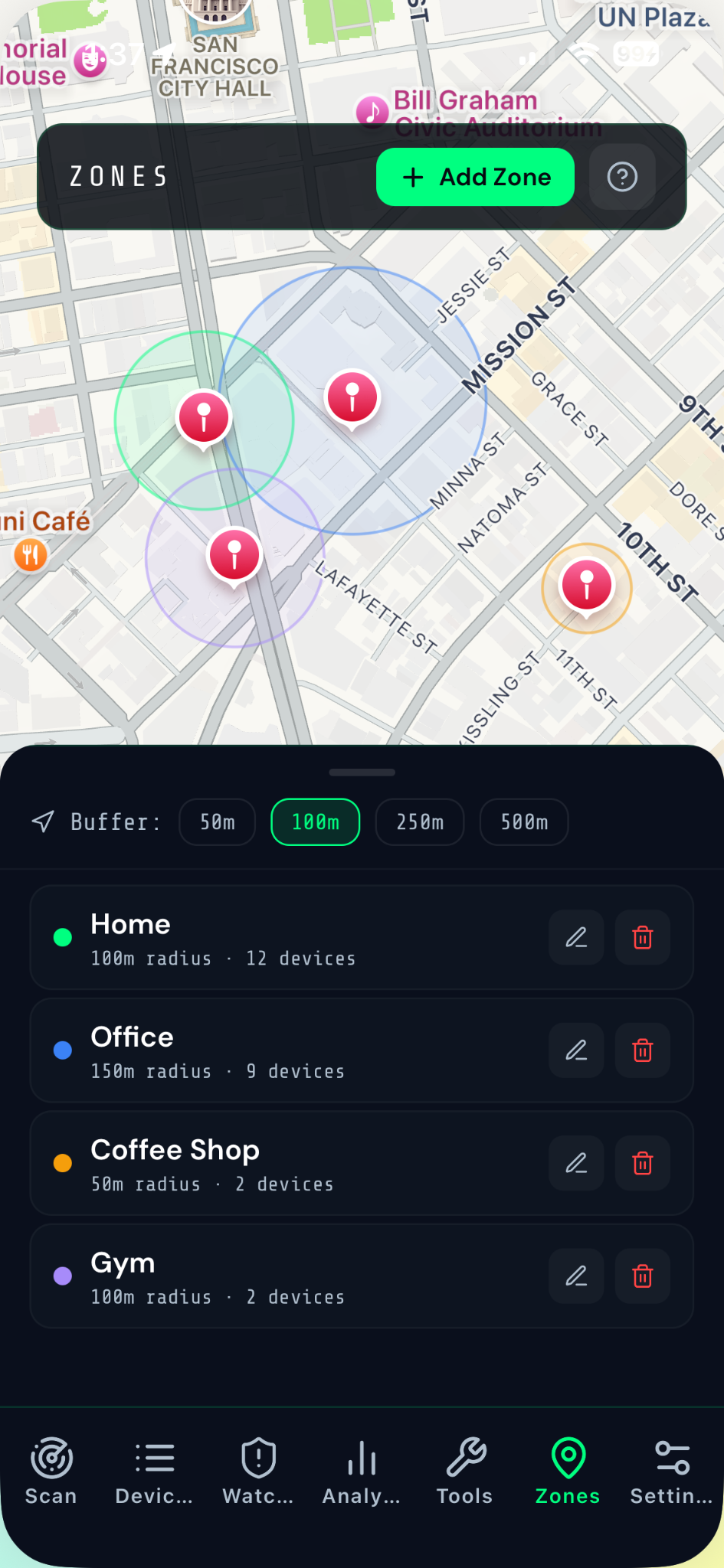
Zones & Evidence Export
Name the places you frequent and generate professional evidence reports ready for law enforcement.
- Create named zones: Home, Office, Gym, etc.
- Configurable radius: 50m, 100m (recommended), 250m, 500m
- Zone name attached to all sightings and visible in exports
- PDF Report with unique case number (VW-YYYYMMDD-XXXX)
- Full location timeline (up to 50 entries), Daily Pattern clock, Frequency Trend
- Legal disclaimer included in every PDF
- CSV export for full sighting log in Excel/Numbers
Pro tip from the documentation:
"COMMUTE PATTERN + ESCALATING trend is compelling evidence for law enforcement — export the PDF immediately."